Never answer an unknown number again.
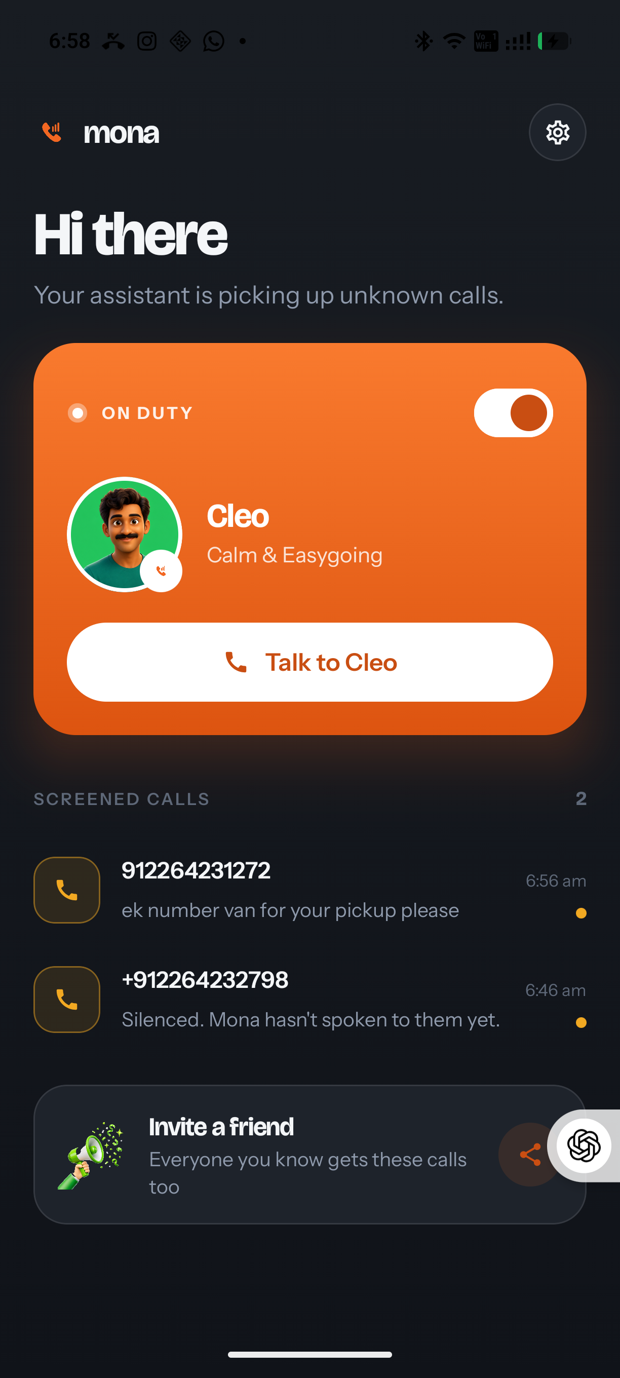
Mona picks up the calls you don't recognise, asks who's calling and why, then tells you — in Hindi or English. Your phone stays quiet.
Download for AndroidAPK · 46 MB · Android 10+
Four things happen while your phone stays silent.
Mona holds Android's caller-ID role, so every incoming call passes through it before it reaches you. Contacts ring as normal.
A stranger rings
Mona recognises the number isn't in your contacts and silences it. You aren't interrupted.
Mona answers
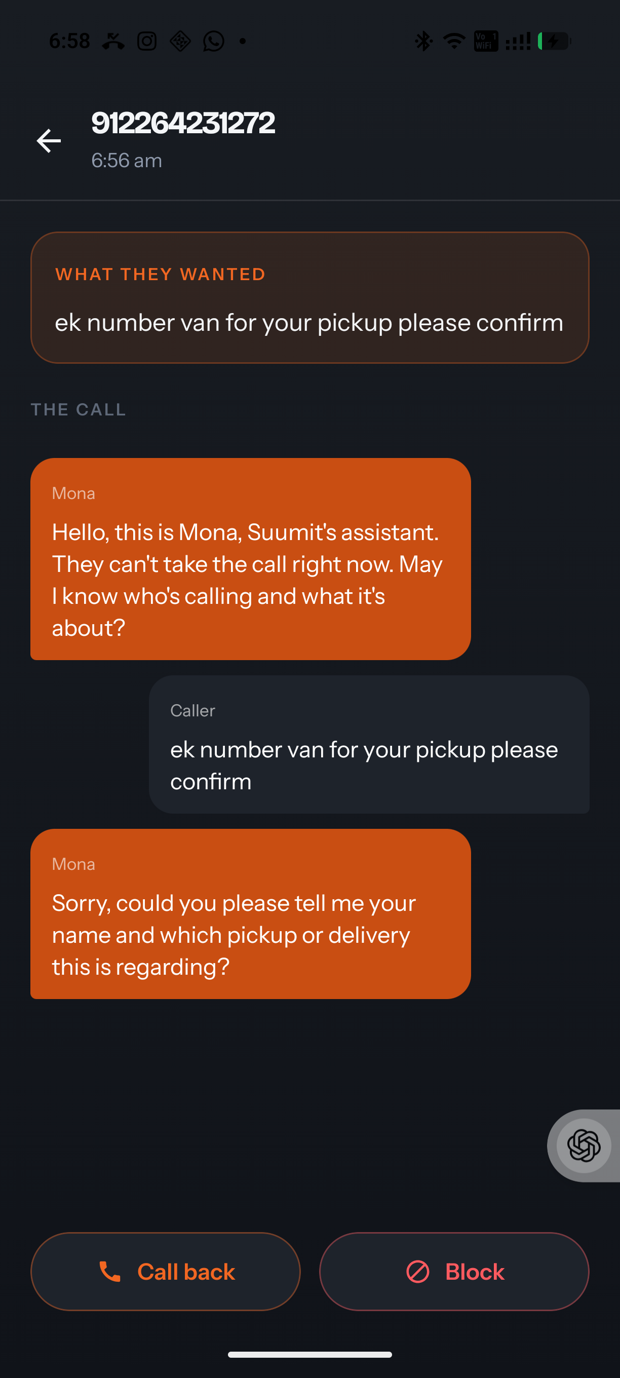
The call reaches Mona's line, where it greets the caller as your assistant and asks what they need.
It finds out why
A real conversation — the caller speaks, Mona replies in their language and captures the detail that matters.
You get told
Who called and why, on WhatsApp, with the full transcript waiting in the app.
Every call it handled, in your words.
Two things worth knowing.
It needs to be your caller ID app
Android only routes calls to an app holding that role, and only one app can hold it. Mona asks for it during setup, and you can hand it back any time in Settings → Default apps.
Answering needs call forwarding
Android gives no app access to the audio of a live call, so unanswered calls forward to Mona's line. Set it once from your dialer with **61*912264232798*11*20#, undo with ##61#.